How the Reading Gate Works
By Dom · · 13 min read
You went looking for an app that would keep Instagram shut until you had done something worth doing. Fair enough. You have probably also installed a blocker before and switched it off within a week, which is the part worth explaining before anything else.
This is the whole mechanic, written by the people who built it: what gets shielded, what opens it, what an unlock costs, what installing it actually asks of you, every setting that makes it stricter or gentler, and the places it does not work. Including the answer everyone actually wants, which is whether you can cheat it.
Key takeaways
- A chapter is the only currency. Reading the day’s chapter opens the apps you shielded — there is no second unlock currency, and a chapter read anywhere in the app counts.
- Four settings decide how strict it feels: firmness (Soft or Firm), unlock window (15 minutes, 1 hour, or until reset), a reset time you anchor to bedtime, and the unlock activity (Bible Study, Breathing, or None).
- Yes, you can bypass it. It runs on Apple’s Family Controls, so it is a real system-level shield — but you can change settings, switch it off, or delete it. No iOS app can stop a determined adult.
- It never charges you twice for the same morning. With credit remaining, the app shows a “reading covered” state instead of gating you again; a re-unlock later costs one more chapter.
- iOS only, permanently. Family Controls has no Android equivalent, so an Android version could not shield an app at all.
What a Bible app that locks apps actually does
The category has two familiar shapes: a blocker takes something away and gives nothing back, and a devotional gives you something and takes nothing away. A reading gate is neither. It is a trade — you nominate the apps that eat your day, those apps stay shut, and reading the day’s chapter is what opens them.
That distinction is the whole design. A timer is a rule you have to re-agree to every time it fires, and re-agreeing is exactly the thing you were bad at — which is the argument in why app blockers don’t work. A trade asks for something instead of forbidding something, and it puts a specific, finishable action between you and the thing you reached for.
Mechanically, a day runs like this. At your reset hour everything re-locks. Open a shielded app and you get a lock screen; tapping through fires a notification that deep-links into the day’s reading. Read it and a window opens. When it closes the apps shut again, and a further window costs another chapter.
The interface is as plain as that sounds. The lock screen says “Tap the notification 👆”; a Live Activity runs during an open window with the countdown and the day’s reference, and when it expires it says “Apps locked again. Read a chapter to open them.”
The chapter is the only currency
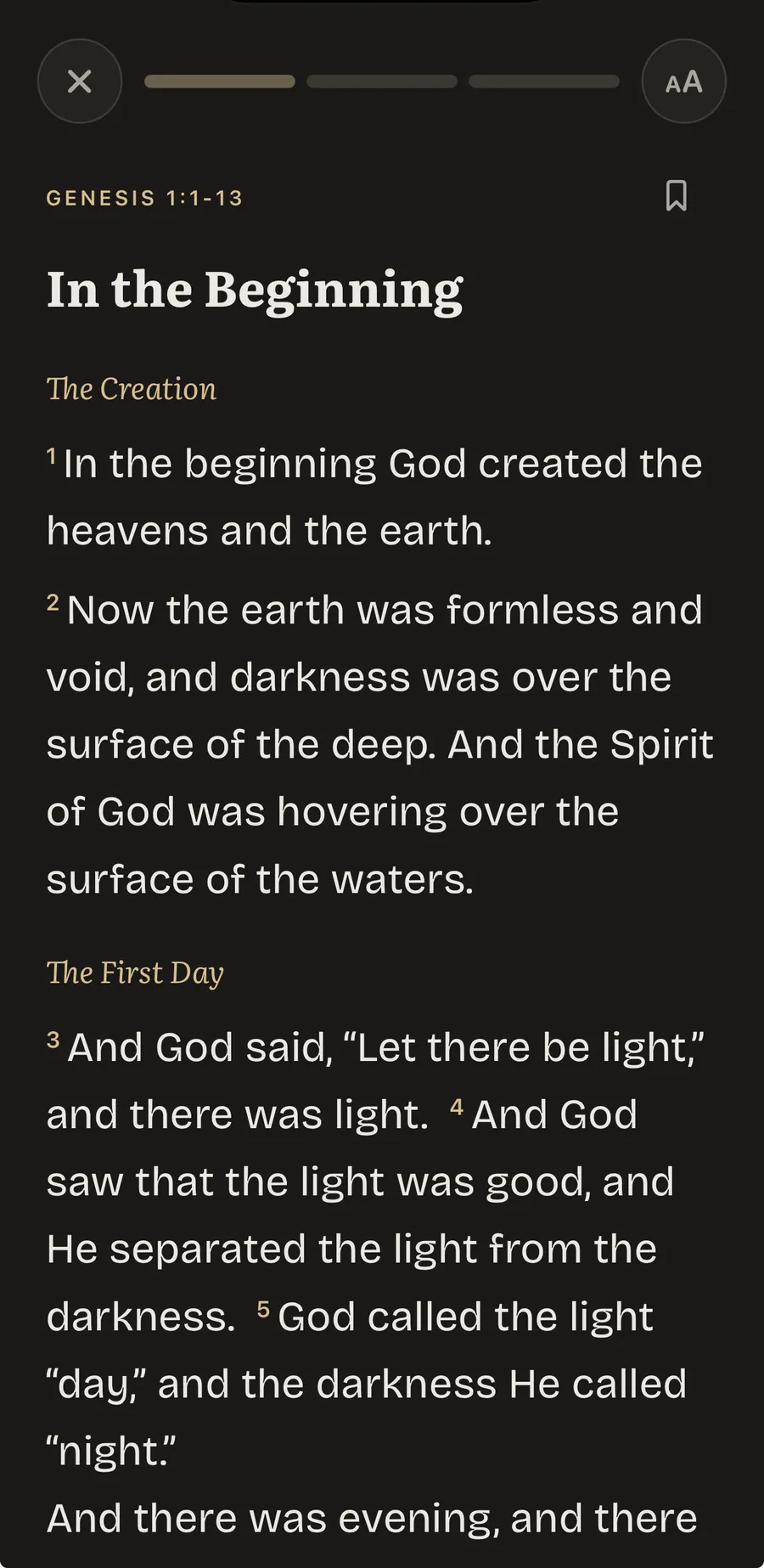
There is one way to open a shielded app: read a chapter. No points, no minutes banked, no second currency to farm.
A chapter counts wherever you read it. Three surfaces draw from the same credit: the Bible tab, the shield gate when an app is blocked, and the reading inside the prayer flow. That matters more than it sounds, because the gate never forces you to read in a particular place for it to count.
The first unlock of the day runs check-in, then reading, then unlock. The check-in is two sliders — how your relationship with God is today, and how you are feeling — and those answers select one of the 118 written prayers across twelve themes.
It is worth being precise about prayer, because the app changed and the internet has not caught up. Prayer is genuinely in the product: 118 written prayers, the daily check-in that opens the first unlock, and prayer counting toward the same streak as reading. What prayer is not is the currency. A prayer on its own does not open Instagram; a chapter does. That is a narrow rule about one mechanic, not a demotion — and the Prayer Lock explainer covers the history of the naming and the shorter version of the settings list.
One thing the mechanic cannot supply: the reading has to be worth doing on its own. A chapter is not a toll you pay to reach the feed. If the only reason to open Scripture is that something else is locked behind it, the gate will feel like a tax and you will remove it, correctly. It works for people who already wanted to read and kept not getting there.
What an unlock costs, and the reset at bedtime
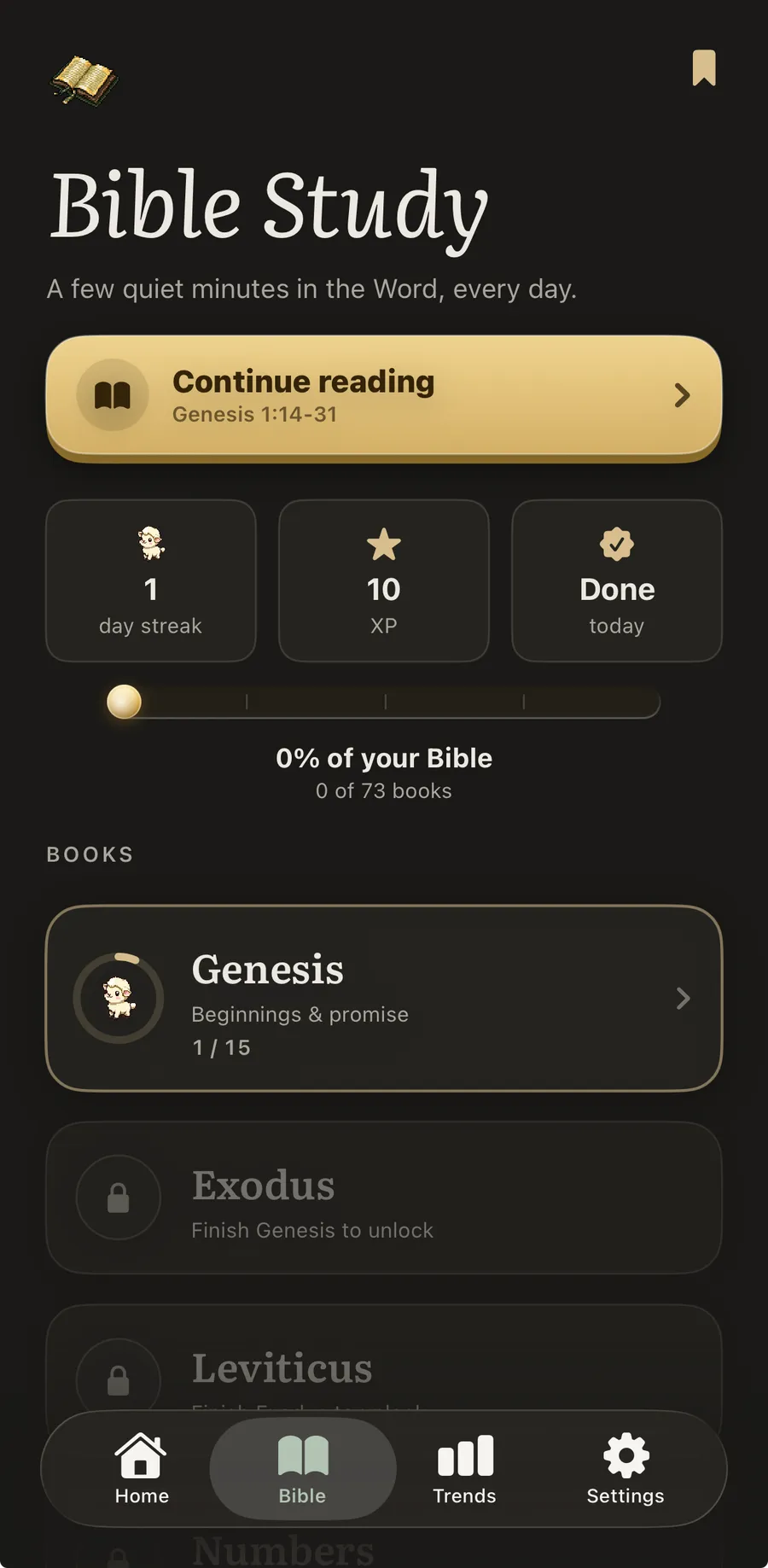
An unlock draws down the day’s credit. Come back later wanting the apps open again and a re-unlock costs one more chapter.
The part people do not expect is the honour state. If credit remains, you are not gated a second time — the app shows a “reading covered” state instead. You are never made to pay twice for the same morning, which is the opposite of how friction products usually behave.
The reset time is yours to set, and the guidance is to put it around your bedtime, so the day’s allowance expires with the day.
Miss a day entirely and a grace day absorbs it: nothing resets and your place is held. The limit is worth stating because a mechanic without one is not credible — grace refills only after three kept days in a row, so a single missed day is free and an alternating on-off pattern is not.
What installing it actually involves
The shield is built on Apple’s Screen Time and Family Controls system — the same machinery behind parental controls and app limits. On first run iOS shows its own Screen Time permission prompt, which you have to grant; without it there is no shield, only a reading app. You then pick the apps to cover from the system picker, which is your choice entirely and can be changed later. Nothing is shielded by default.
Then you set the four controls below and the reset hour. That is the setup.
The settings, and what each combination feels like
Four controls decide how strict a day is: firmness (Soft or Firm), the unlock window (15 minutes, 1 hour, or until reset), the reset time, and the unlock activity (Bible Study, Breathing, or None). Bible Study is the default and the recommended setting; Breathing is a lighter gate.
The list of settings is the easy part. What nobody publishes is what the combinations actually do to a day, so here it is.
| Configuration | A day under it | Suits |
|---|---|---|
| Firm · Bible Study · 15 minutes | Every window is fifteen minutes. You meet the gate several times a day and each further window costs another chapter. | People whose problem is the return visit, not the first one |
| Soft · Bible Study · 1 hour | One chapter buys an hour; when it lapses you choose again. A moderate number of encounters with the gate. | Most people, most weeks |
| Soft · Bible Study · until reset | One reading in the morning opens everything until your bedtime hour. You meet the gate once a day. | Anyone whose work needs the shielded apps |
| Any firmness · None | The first reading opens apps for the rest of the day. The gate becomes a morning prompt rather than a barrier. | Reading daily is the goal; the shield is a reminder |
| Any firmness · Breathing | A lighter gate stands in place of the reading. | Days when the reading is not what you need |
You can plainly configure this to be barely a gate at all. That is not an oversight: a gate set too hard on day one is a gate switched off in week two, and a product that only works at maximum severity does not survive a bad week.
If you have installed a blocker before and switched it off within a week, the thing that failed was not your discipline — it was that the blocker only ever subtracted. This puts something on the other side of the door: your phone starts opening the Bible instead of closing it, and the day’s chapter is already chosen and waiting when you get there. Free to download, with a 3-day free trial on BlessUp Gold and no ads at any tier. See it on the App Store.
Can you cheat it? And should you be able to?
Yes, you can. Answering this any other way would be dishonest, and evasion here is what makes most comparison pages worthless.
Because the shield runs on Apple’s Screen Time framework it is a real system-level block rather than a reminder you swipe away. It also means the ordinary escape hatches exist: you can change your settings, turn the shield off, or delete the app. No iOS application can prevent a determined adult from uninstalling it, and any product claiming otherwise is either misinformed or lying to you.
So this is a door, not a cage, and it is not trying to be one. Its job is to make the good thing the path of least resistance at the moment you are least inclined to choose it — and the door it opens is the chapter, which is the part worth having. It is not built to overrule someone who has genuinely decided otherwise, and it should not be.
What makes it hold over time is repetition at a stable moment rather than severity. Reviewing habit formation in the British Journal of General Practice, Gardner, Lally and Wardle note that automaticity comes from repeating an action at a consistent cue, plateauing after an average of 66 days — with, in their own words, considerable variation across participants and behaviours — and that missing the occasional opportunity did not seriously impair the process. The grace day is built on that second finding. It is not a loophole; it is what the evidence says a missed day actually costs.
The daily framing is old, and gentler than a productivity rule. Joshua is told to “meditate on it day and night” (NIV) — continual attention rather than a heroic session. A gate is a crude instrument for a thing like that. It is only useful because it stands at the one moment the decision is actually made, and 1 Corinthians 10:13, which promises that God “will also provide a way out so that you can endure it” (NIV), is about a faithfulness no software supplies.
Does reducing screen time actually change anything?
Worth asking before installing something that takes your apps away, and the answer is better than assertion.
In a 2022 cluster-randomised trial in NPJ Mental Health Research, Pedersen and colleagues randomised 89 families, 164 adults in total, either to cut recreational screen use or carry on as normal. Over two weeks the intervention group dropped to a median of 2.7 hours a week against 15.5 in the control group, finishing 8.48 points ahead on the WHO-5 well-being index and 6.83 points better on total mood disturbance. The honest footnote: among the stress biomarkers measured, only awakening cortisone showed a significant difference, with no consistent cortisol effect. It moved how people felt; it did not obviously move their stress hormones.
The interruption volume is real too, though the clearest measurement is of teenagers rather than adults: Common Sense Media found in 2023 that over half of the teens in its sample got 237 or more notifications a day. Adults are a different population; the figure should not be stretched to cover them.
None of that says an app fixes anything. It says the direction is real and modest, which is the most an honest version of this claim can say.
Where it does not work: iOS only, and why
There is no Android version, and on this architecture there cannot be one. The shield depends on Apple’s Family Controls framework, which has no Android equivalent. An Android build could show readings and keep a streak, but it could not shield an app — which means it could not be this product. If you are on Android, this is the wrong page, and better said now than after a download.
Two further limits. This works if your problem is a handful of specific apps you can name; if the pull is the device in general, a shield on four apps will not reach it, and the broader habit of reaching for the feed is the thing to work on first. And the gate assumes you want to read Scripture daily. If you do not, this is an obstacle course with no prize at the end.
Reading Scripture before you scroll and the wider field of Christian app blockers both cover the alternatives fairly, and our frequently asked questions answer the practical ones before you install anything.
Frequently asked questions
What is a Bible app that locks your other apps?
It is an app that uses Apple's Screen Time system to shield apps you choose until you have done a daily reading. The shielded apps show a lock screen instead of opening, and reading the day's chapter is what opens them. The difference from an ordinary blocker is that a blocker only removes something, while a gate puts a specific, finishable action on the other side of the door.
Can you bypass the BlessUp app lock?
Yes. It is built on Apple's Family Controls framework, so it is a genuine system-level shield rather than a reminder, but you can change your settings, turn the shield off, or delete the app. No iOS app can stop a determined adult from uninstalling it. The gate is designed to change the default at the moment of decision, not to make the decision impossible.
Does BlessUp work on Android?
No, and it cannot on this architecture. The shield depends on Apple's Family Controls framework, which has no Android equivalent. An Android build could show readings and track a streak, but it could not shield an app, which is the entire mechanic.
What permissions does it need on your iPhone?
Screen Time, granted through Apple's own permission prompt on first run. Without it there is no shield at all. You then choose which apps to cover from the system picker; nothing is shielded unless you select it, and the selection can be changed at any time.
Is BlessUp free?
It is free to download and free to start. There is a paid tier, BlessUp Gold, with a 3-day free trial that you can cancel at any time; the current price is shown by the App Store rather than quoted here, because it is set in the store and would go stale on this page. There are no ads at any tier.
One chapter is the only key, and it opens the same door every day.
No guilt. Ever. Grace is built in. Funded by readers, never by ads.